
Cursor无限续杯
1. 介绍
此工具目前支持:
- ✅ Cursor v0.45.x and below
✅ 光标 v0.45.x 及更低版本 - ✅ Windows: Latest 0.47.x versions (Supported)
✅ Windows:最新的 0.47.x 版本(支持) - ✅ Mac/Linux: Latest 0.47.x versions (Supported, feedback welcome)
✅ Mac/Linux:最新的 0.47.x 版本(支持,欢迎反馈)
Please check your Cursor version before using this tool.
在使用此工具之前,请检查您的 Cursor 版本。
2. 使用帮助
1、在 Cursor 客户端里退出账户
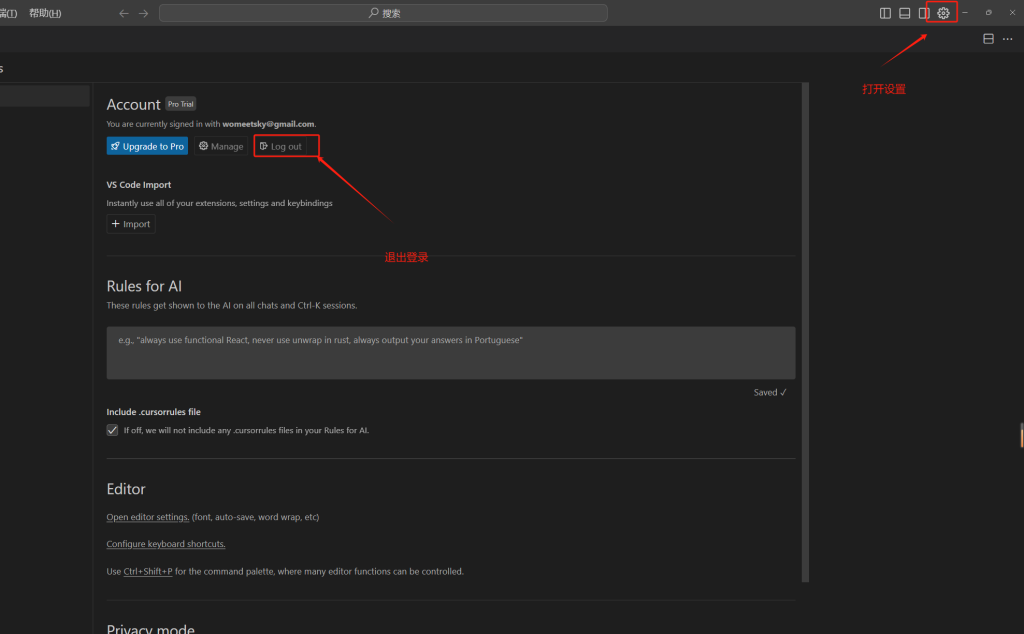
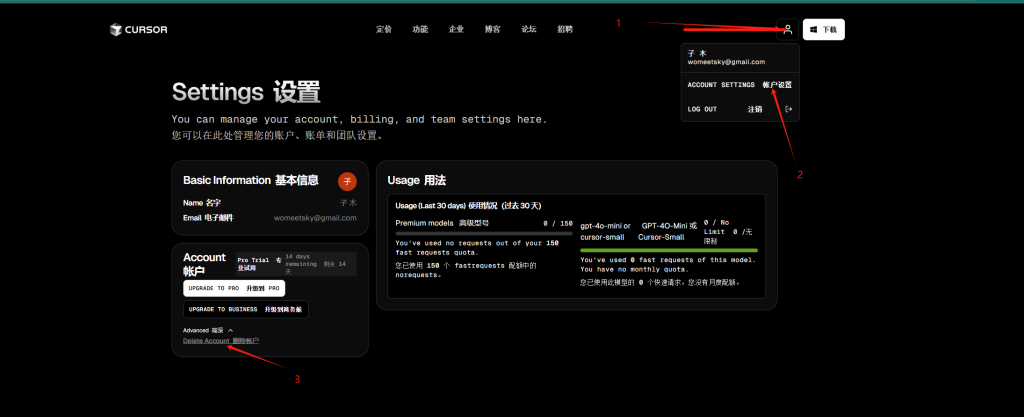
2、删除自己的账号:
进入浏览器中自己的 Cursor 账户,点击右上角头像,选择 ACCOUNT SETTINGS 进入账户设置,删掉账户,需要输入 Delete 以确认是否删除。
三、无限续杯的方法
这个方法来自于一个程序员大神,开源地址:
https://github.com/yuaotian/go-cursor-help
解决的问题是在 Cursor 免费订阅期间出现以下提示:
You've reached your trial request limit.
Too many free trial accounts used on this machine. Please upgrade to pro. We have this limit in place to prevent abuse. Please let us know if you believe this is a mistake.
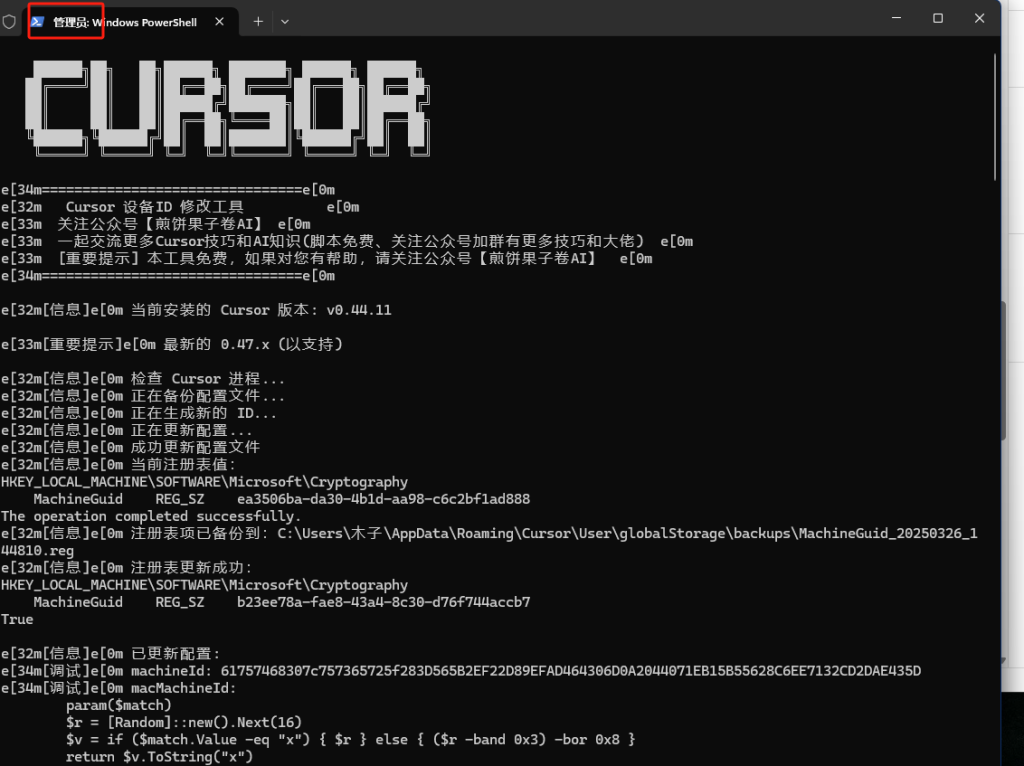
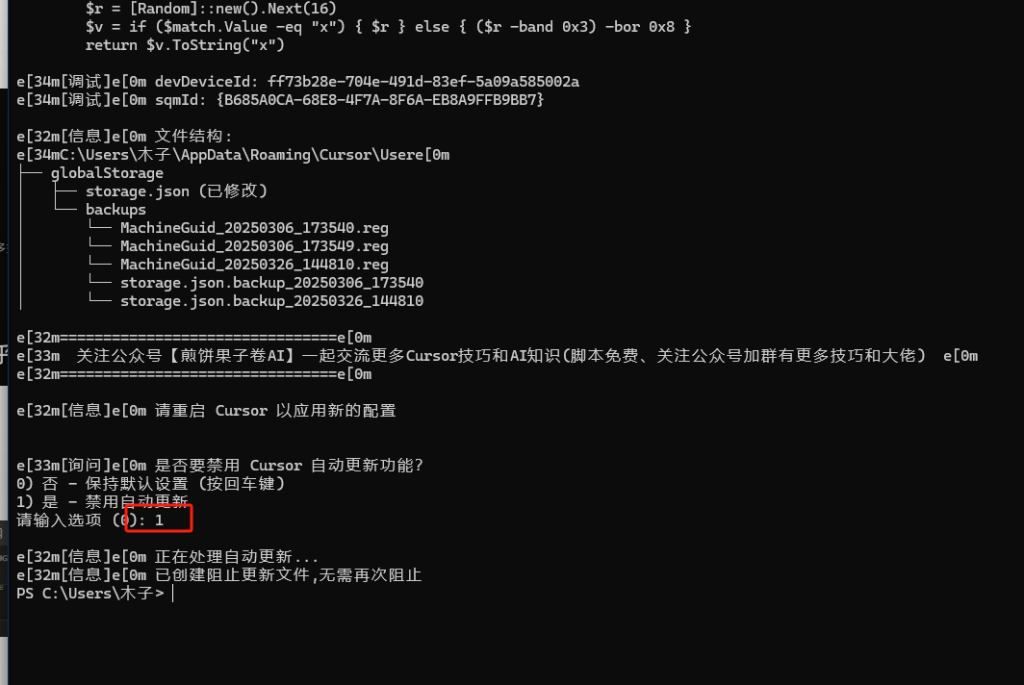
这里我们直接使用组合快捷键 Win + R,输入 cmd,然后在命令行输入以下指令:
irm https://raw.githubusercontent.com/yuaotian/go-cursor-help/refs/heads/master/scripts/run/cursor_win_id_modifier.ps1 | iex
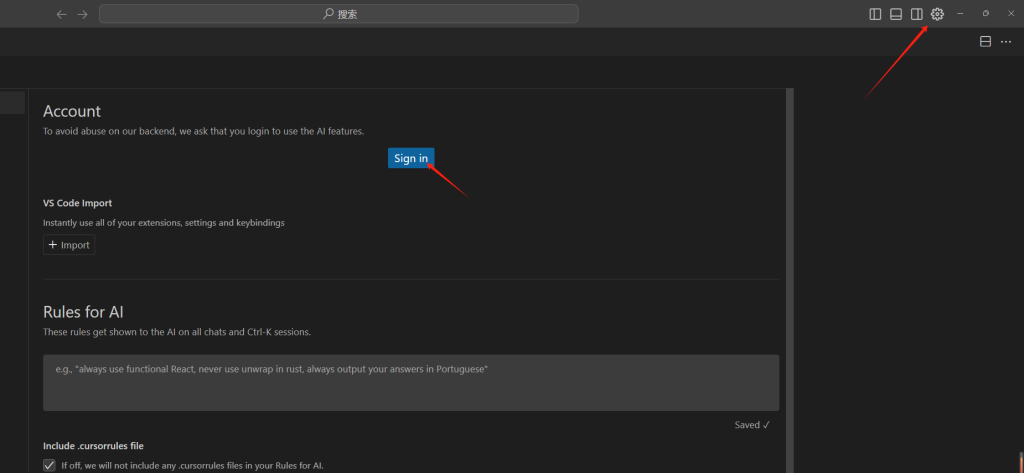
四、再登录 Cursor
我是木子,专注于 AI 自动化提效,有任何问题欢迎联系我。

评论
匿名评论
隐私政策
你无需删除空行,直接评论以获取最佳展示效果